|
CAD for leather goods and small leather goods |  |
 |
 |
|
CAD for leather goods and small leather goods | |
|
|
| Mozart | Liszt | Virtual-Design | Support | Contacts |
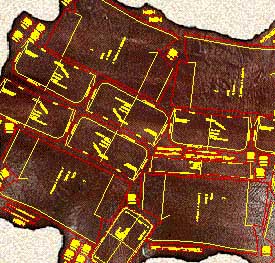
| Mozart is a CAD realized following the requests and
suggestions of leather goods pattern-makers to simplify and expand their work being
them free to design according to their ideas. Mozart requires AutoCAD® or ZWCAD®. The license of Mozart does not include the license of AutoCAD® or ZWCAD® Mozart 8 is available for AutoCAD® up to version 2026 and for ZWCAD® up to version 2025. |
|
Quick learning Built on pattern-makers' requirements Mozart shares his working method giving full liberty to design the model. The pattern-maker can concentrate himself on the model to be realized. He does not have to code the materials or pieces before or during the drawing. Freely customizable The user can easily change many settings of Mozart: colors, the method of calculating the bill of materials and the bill of working times and many other parameters. Mozart can also load and use custom toolbars, scripts and commands written by the user. |
|
|
Flexibility The user is free to choose the names of the patterns and their hierarchy. Each pattern is a single file and Brands, Lines, Seasons etc. can be organized by folders. Each pattern is independent from the others and can be copied or moved in whole or in part from one folder to another like any other file. The bill of materials and the bill of working times can be performed in different ways and the reports are produced as ASCII text or Excel document. |
|
Data exchange The patterns can be read using many others CAD programs. The cutting can be done using a wide range of machines from vertical or flatbed plotters to knife, laser or water-jet cutting machines. The bill of materials, the bill of accessories and the bill of working times can be exported to others data management systems. Development The open structure of Mozart means it can be constantly improved according to users suggestions and requests. The upgrade of Mozart does not oblige the user to upgrade the other components of the CAD system. Plug-ins increase the power and the flexibility of Mozart. |
|
| Plug-ins add specific functions to Mozart. The user himself can write his own plug-ins, Mozart will automatically load them. Plug-ins allow to customize Mozart's installations to the needs of the user and reduce the cost because they avoid the purchase of what is not needed. Users can request the development of personal plug-ins to create special reports or drawing functions. On request personal plug-ins are not available to other users in order to protect their confidentiality. |
Works smoothly on school Chromebooks, old laptops, and budget PCs.
To anyone else, it was a relic—a browser-based workaround for a game that had long since moved on to ray-tracing and infinite worlds. But to the "digital archeologists" of the campus network, that .zip file was a skeleton key.
I have uploaded the Eaglercraft-Launcher-1.5.2.zip for preservation and easy access. This specific build targets the Minecraft 1.5.2 protocol, allowing users to experience the game via a web client.
. Since web browsers stopped supporting Java applets in 2016, running the original Java-based Minecraft in a browser became impossible. To fix this, Lax1dude used a tool called File Name- Eaglercraft-Launcher-1.5.2.zip
Setting up the offline launcher requires no programming knowledge and can be completed in a few short steps:
Click to generate a brand-new survival or creative world. Alternatively, click Multiplayer to browse the default list of online servers. Safety and Legitimacy Guidelines
: A genuine Eaglercraft offline launcher consists strictly of web files ( .html , .js , .css , .epk ). If the ZIP archive contains an .exe , .msi , .bat , or .dmg file, do not run it , as it likely contains malware. Works smoothly on school Chromebooks, old laptops, and
Textures, sounds, and resource files for version 1.5.2. How to Use the File
The game will load, and you can start playing within seconds. Safety and Security: Read Before Running
The is a technical marvel that makes a beloved version of Minecraft incredibly accessible. It's perfect for a quick play session on a school computer, testing the waters of the full Java Edition for free, or setting up a light multiplayer session on an older machine. I have uploaded the Eaglercraft-Launcher-1
files: JavaScript and WebAssembly files that contain the game’s logic Server Components (sometimes included) bukkit_command folder: Contains files to set up a local server : Used specifically to start the included server Eaglercraft Usage Instructions : Right-click the file and select "Extract All" to a new folder. Browser Version : Open the index.html file using a modern browser like Google Chrome or Firefox. Desktop Version : Double-click launch.bat (Windows users may need to have Java installed). Single Player
Released originally by Mojang in early 2013, the 1.5.2 version is highly praised for its stability, lightweight performance, and nostalgic gameplay mechanics. Within the Eaglercraft ecosystem, this specific version offers several distinct advantages:
All product names, brand names or trademarks named here belong to their respective holders. |